Coffee Tools
Brew by numbers,
not by luck.
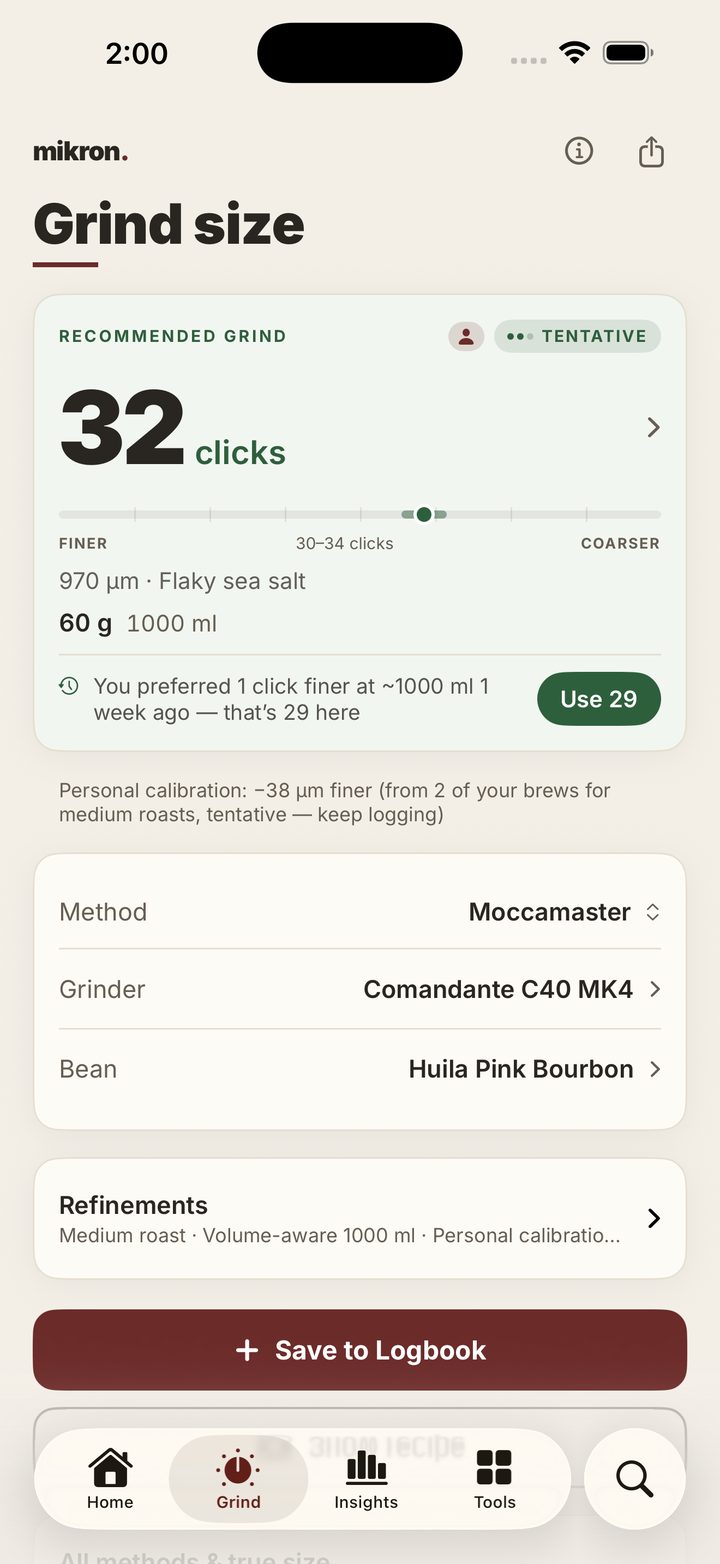
Grind targets in microns, translated to your grinder's own clicks and adjusted by the brews you rate. Your dial-in stays when you close the app, so the next cup starts from it.
Coffee Tools
Grind targets in microns, translated to your grinder's own clicks and adjusted by the brews you rate. Your dial-in stays when you close the app, so the next cup starts from it.
Why mikron
In mikron every brew you log sharpens your grind target, remembers what worked, and tracks where your beans are in their life.
The more you log, the closer the target moves to the setting that works for you.
Your most recent result surfaces right where you grind, so each cup starts from the last one.
Roast-date aware to the day. It shows every bag’s peak window, so you brew it when it tastes its best.
A preview of mikron.
Grind
Grind targets in microns, estimated for your grinder and translated to its clicks.
Diagnose
Too sour, bitter, or weak? Find the likely cause — and the one change to try next.
Recipes
Any dose, any ratio, plus 14 guided recipes.
Logbook
Every brew and every bean, on your device, and on your other devices if you want them there. No account, no tracking.
Built native for iPhone
A widget keeps your next brew one glance away, and a Live Activity follows the pour in real time — right on your Lock Screen.
Max Hassenstein
c/o flexdienst – #22168
Kurt-Schumacher-Straße 74
67663 Kaiserslautern
Germany
Contact form: mikron.coffee/contact
“mikron.”™ and the mikron logo are trademarks of Max Hassenstein (Nullpunkt Labs).
All other product, brand and person names mentioned on this site and in the app are trademarks or names of their respective owners, used solely to identify compatible equipment and brewing methods. mikron is independent and not affiliated with, sponsored by or endorsed by any of these parties.
We are not willing or obliged to participate in dispute resolution proceedings before a consumer arbitration board.
Wir sind nicht bereit oder verpflichtet, an Streitbeilegungsverfahren vor einer Verbraucherschlichtungsstelle teilzunehmen.
Inter — SIL Open Font License 1.1. © The Inter Project Authors (Rasmus Andersson).
All other content — design, copy and original assets — is original work. © 2026 Nullpunkt Labs (Max Hassenstein).